Binarium Strategy Guide 2026: Best Trading Strategies for New Traders

In this strategy guide, you’ll discover some of the best trading approaches for new traders, learn how to apply them on Binarium, and understand essential techniques to manage risk and improve your overall trading discipline.

How to Start Trading with the Binarium Platform
The Binarium trading platform provides several key tools designed to help traders make informed decisions. These include trade expiration settings, trade amount controls, a profit percentage display, and a trader sentiment indicator that shows the market position of other users.
Traders can also choose between the TradingView chart and the native Binarium chart, depending on their preferred analysis style. The platform supports multiple timeframes ranging from 5 seconds to 12 hours, and users can enhance their market analysis by applying built-in technical indicators directly on the chart.
Key platform options include:
- Account Home Page – Access your balance, trading dashboard, and account settings.
- Trading Tools and Features – Essential tools for placing and managing trades.
- Charting Options – Advanced charts to track market price movements.
- Adding Currency Pairs and Stocks – Select from various tradable assets.
- Chart Customization and Timeframes – Adjust chart styles and select timeframes based on your strategy.
#1 Access and Sign In to the Binarium Trading Website
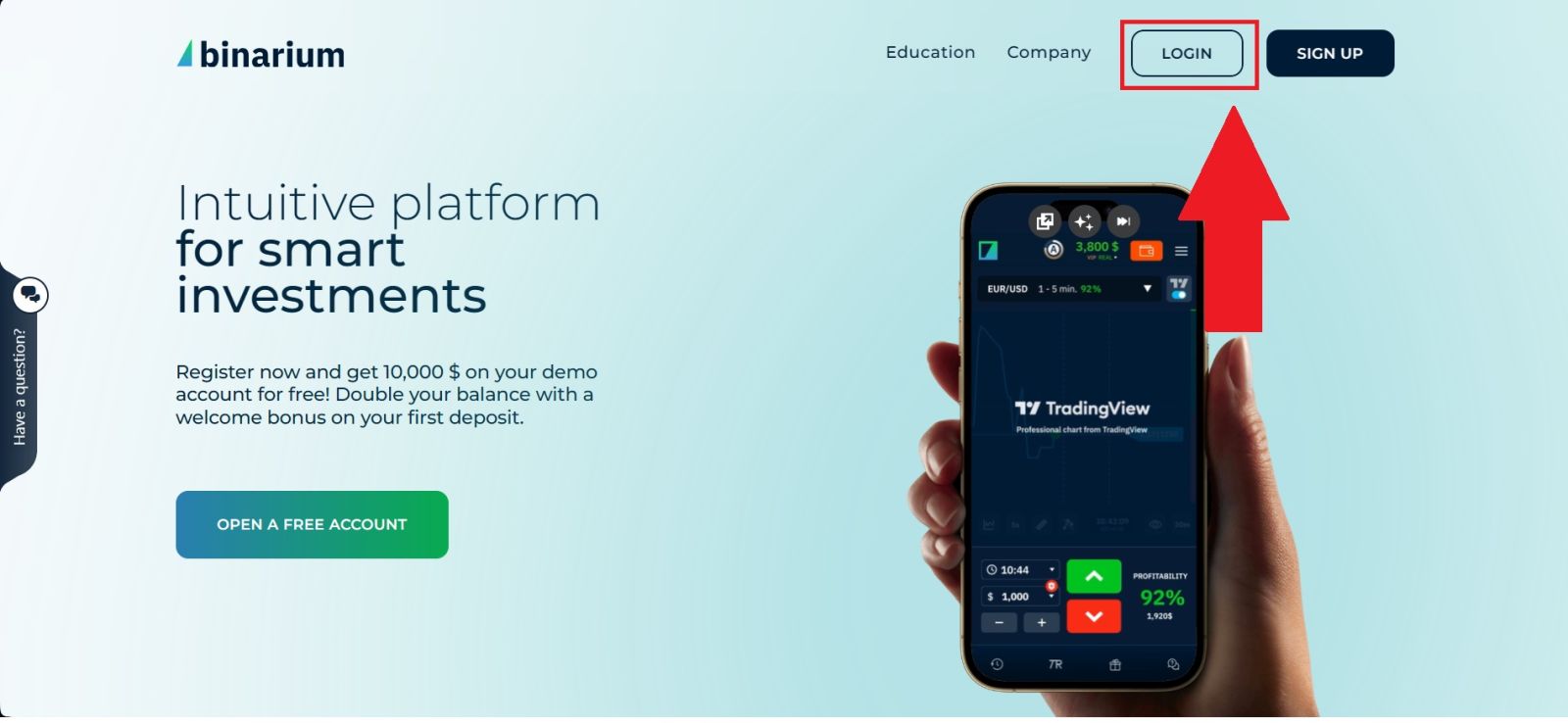
To begin, visit the official website of Binarium using a secure web browser. Before continuing, always check that the website address is correct to protect your personal information and ensure you are accessing the legitimate platform.Once you arrive at the homepage, click the [LOGIN] button to enter your account. If you do not have an account yet, you can proceed to the registration page to create a new one and start using the platform.
#2 Begin trading on the Platform
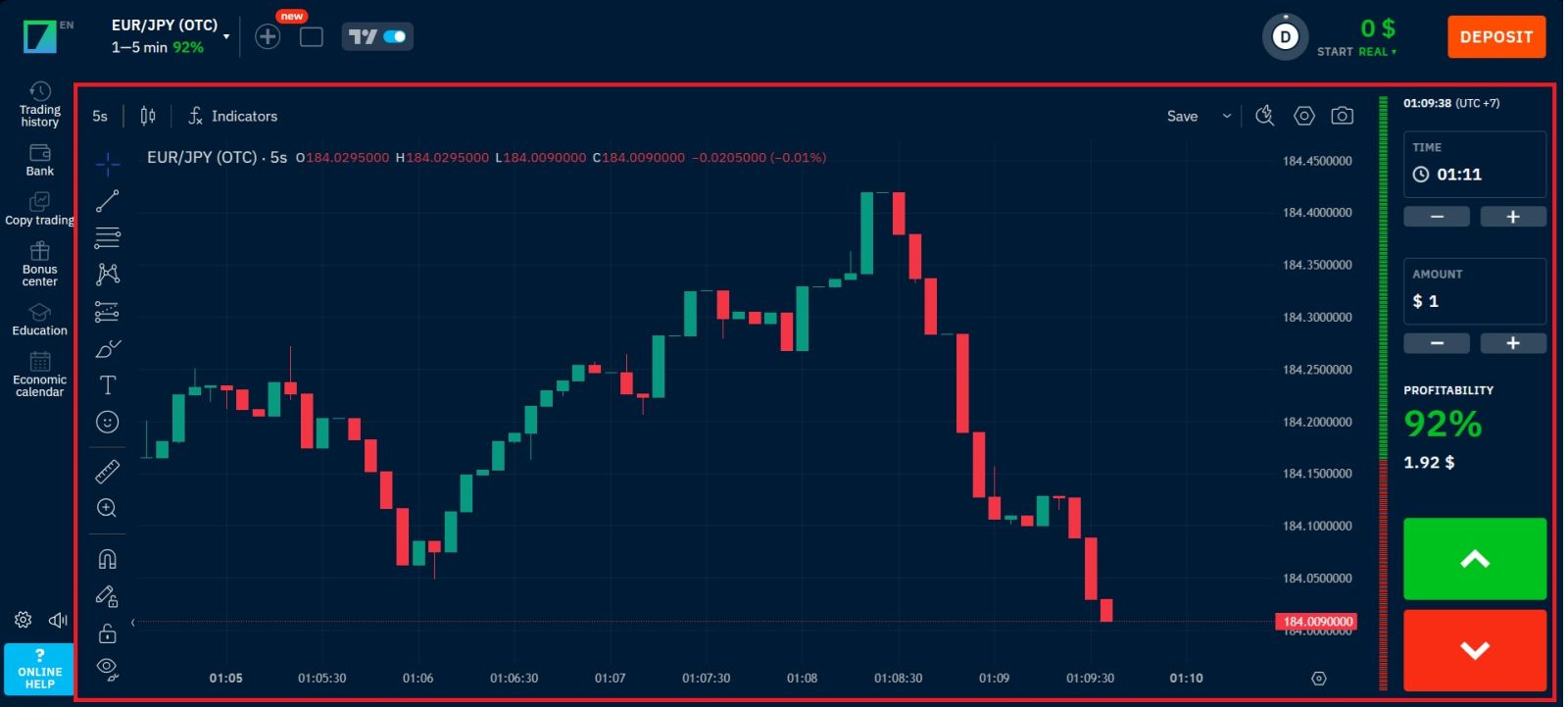
After registering on Binarium, you will land on the account home page, where you can:
- View your balance at the top;
- Switch between live and demo accounts for practice or real trading.
The trading interface on Binarium is designed to be simple and efficient, making it suitable for both beginners and experienced traders. The platform offers a variety of tools and features that allow users to monitor market movements, analyze price charts, and execute trades quickly and conveniently.
#3 Binarium Key Trading Tools and Features
1. Menu Panel: Use the toolbar to create an order, change time frames and access indicators.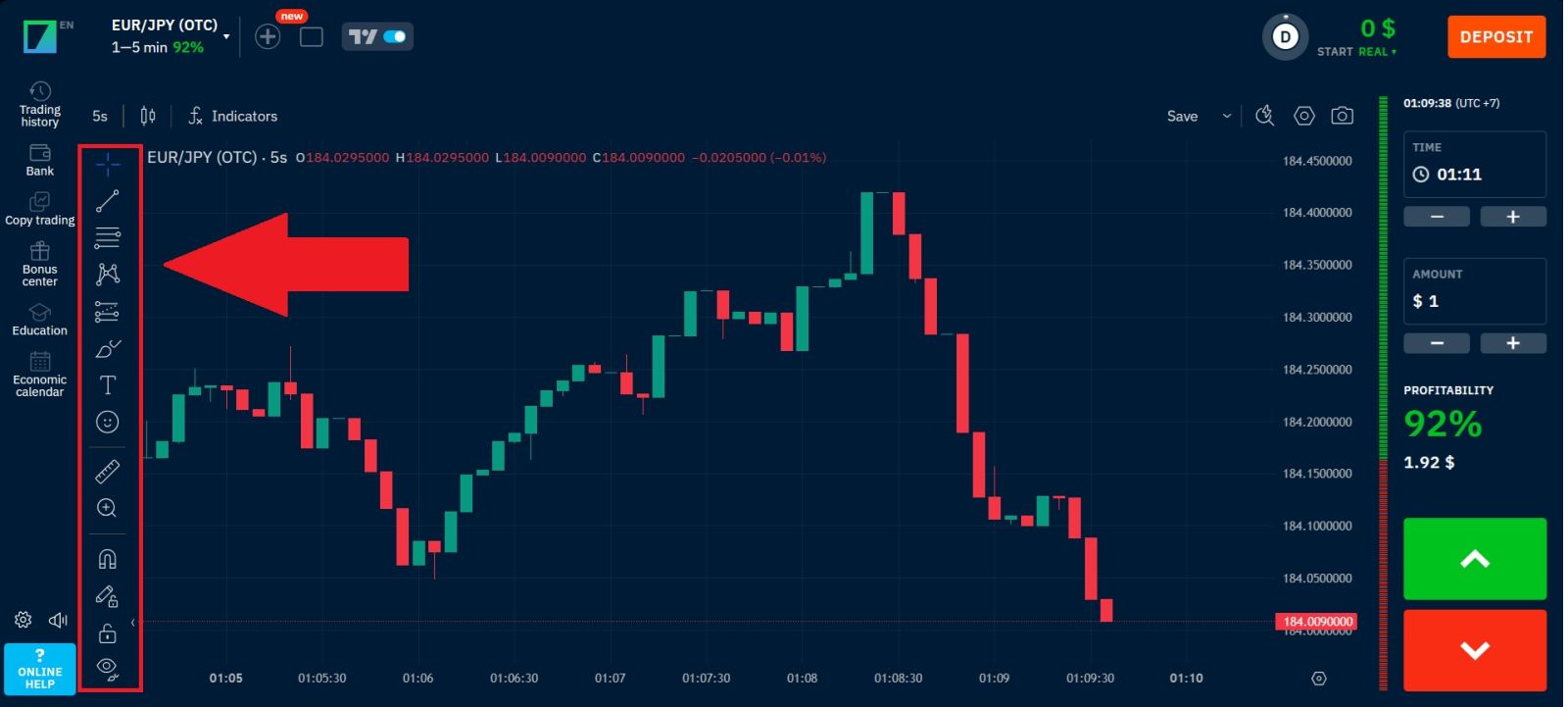 2. Binarium Chart Types: Click the plus (+) icon to add currency pairs, stocks, or other trading assets for analysis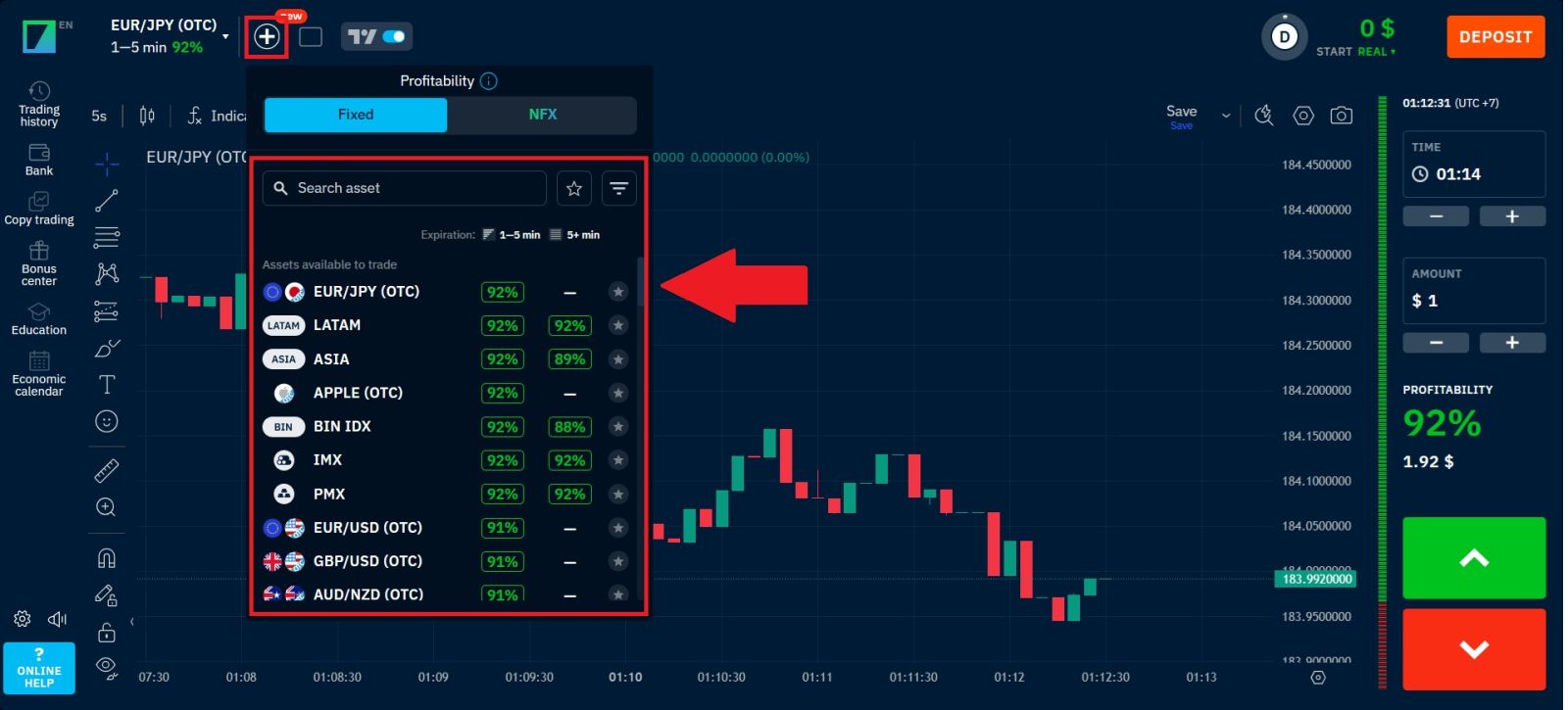
3. Binarium Chart Customization and Timeframes: This indicates the current state of the market and the ask and bid lines.
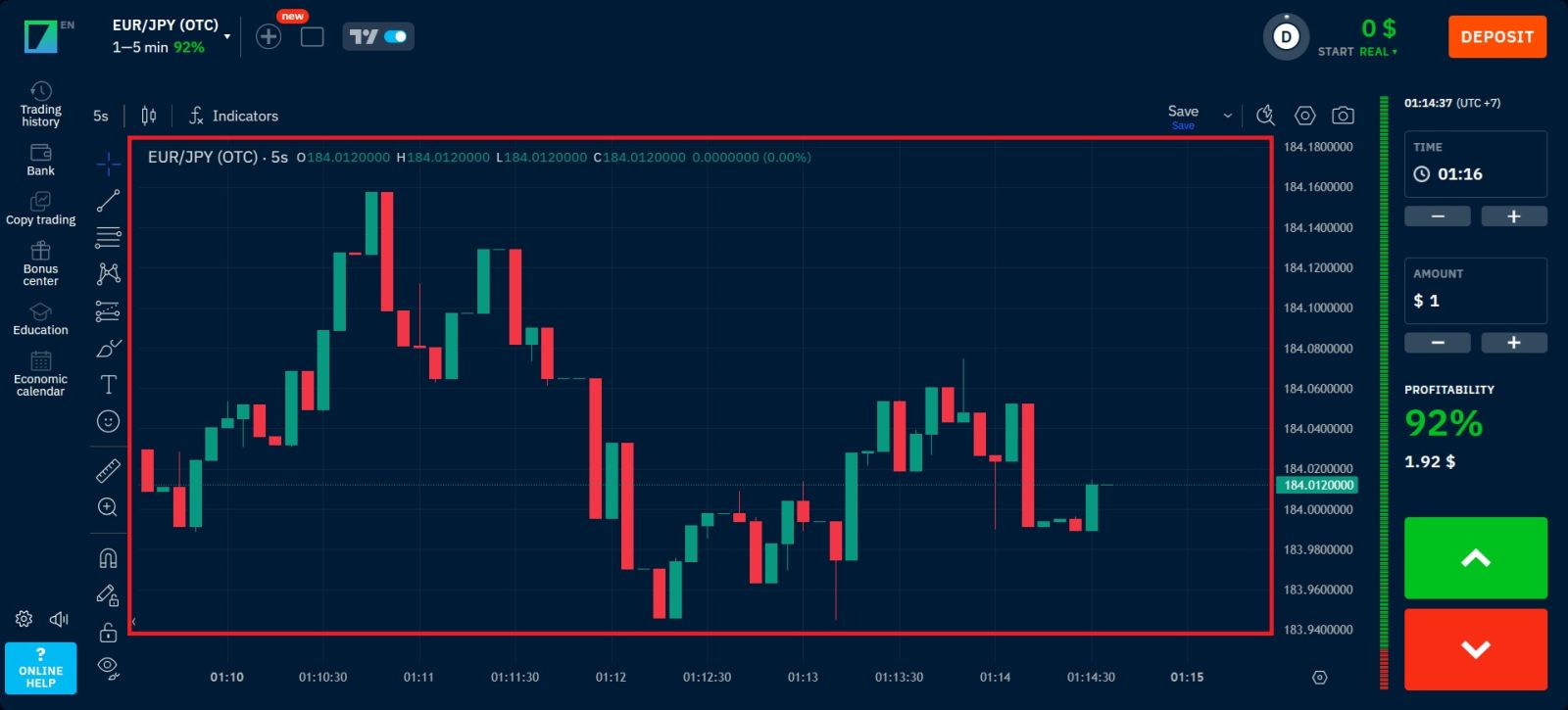
Here is a list of popular indicators on the Binarium platform:
|
Indicator/oscillator |
Available on Binarium Trading Platform |
|
Simple Moving Average Indicator |
Yes |
|
Bollinger Bands |
Yes |
|
Relative Strength Index Indicator |
Yes |
|
Moving Average Convergence Divergence |
Yes |
|
Stochastic |
Yes |
|
Parabolic SAR |
Yes |
|
Commodity Channel Index |
Yes |
|
Average True Range |
Yes |
|
Average Directional Index |
Yes |
|
Ichimoku Cloud |
Yes |
How to Place your First Trade on Binarium
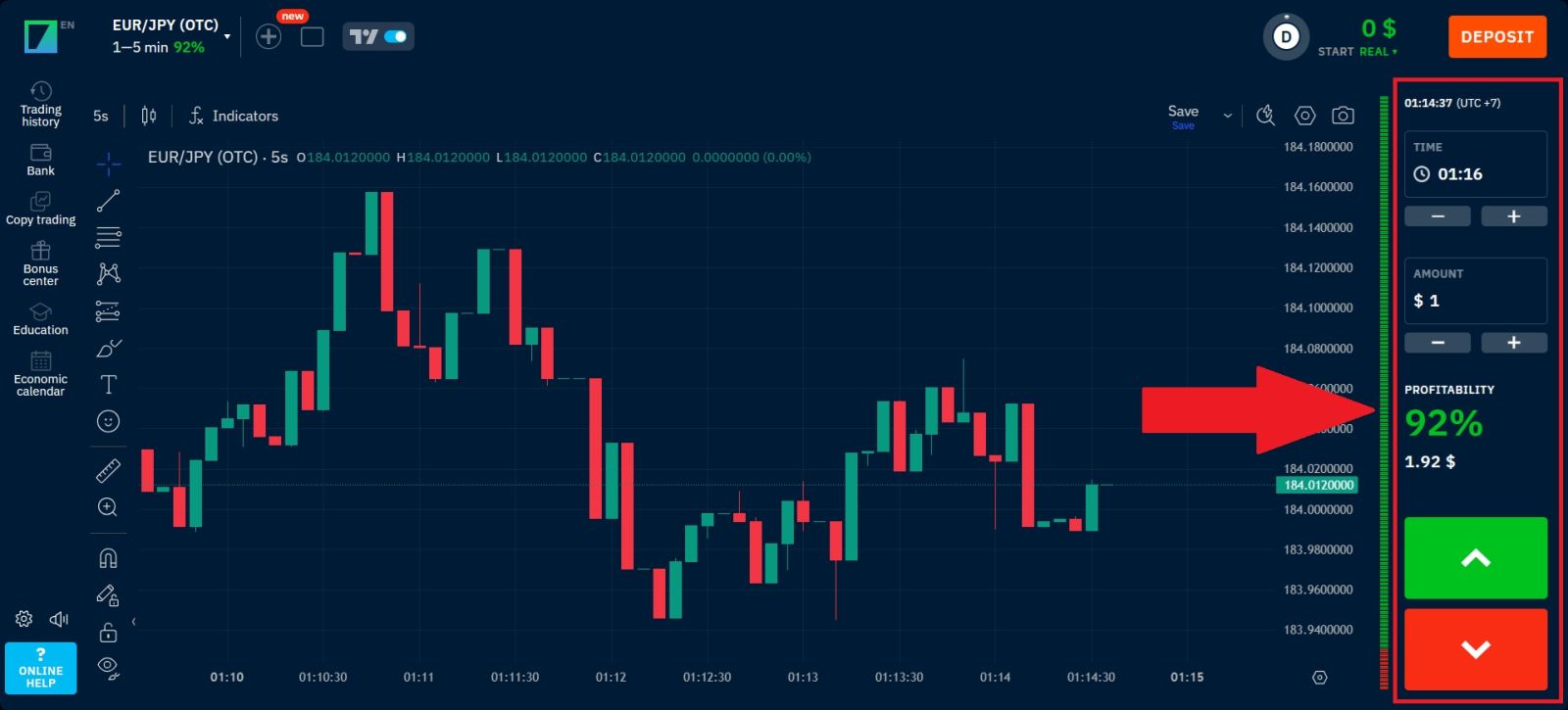
Placing a trade on Binarium is simple and only takes a few steps using the trading panel shown on the platform.
1. Set the Trade Time
In the Time section, choose how long the trade will remain active. You can increase or decrease the duration using the “+” or “–” buttons until you reach your preferred expiration time.
2. Choose the Trade Amount
Next, set the investment amount for the trade. Use the “+” or “–” buttons in the Amount section to adjust how much money you want to invest. On the platform, trades can start from as little as $1.
3. Check the Profitability Rate
The profitability section displays the potential return for a successful trade. For example, a 92% payout means a $1 trade could return $1.92 if your prediction is correct.
4. Predict the Market Direction
Finally, decide whether the asset price will go up or down:
- Click the green button (↑) if you believe the price will increase.
- Click the red button (↓) if you think the price will decrease.
After confirming your prediction, the trade will be placed instantly, and you can monitor the price movement until the trade expires.
Conclusion: Build a Strong Trading Approach on Binarium
Using the right strategies on Binarium can help new traders approach the market with more structure and confidence. By learning basic market analysis, choosing clear entry points, and applying proper risk management, beginners can improve their decision-making and reduce unnecessary losses.Consistency, patience, and continuous learning are key elements for developing a successful trading routine. With the right mindset and disciplined strategy, traders can make the most of the opportunities available on the Binarium platform.